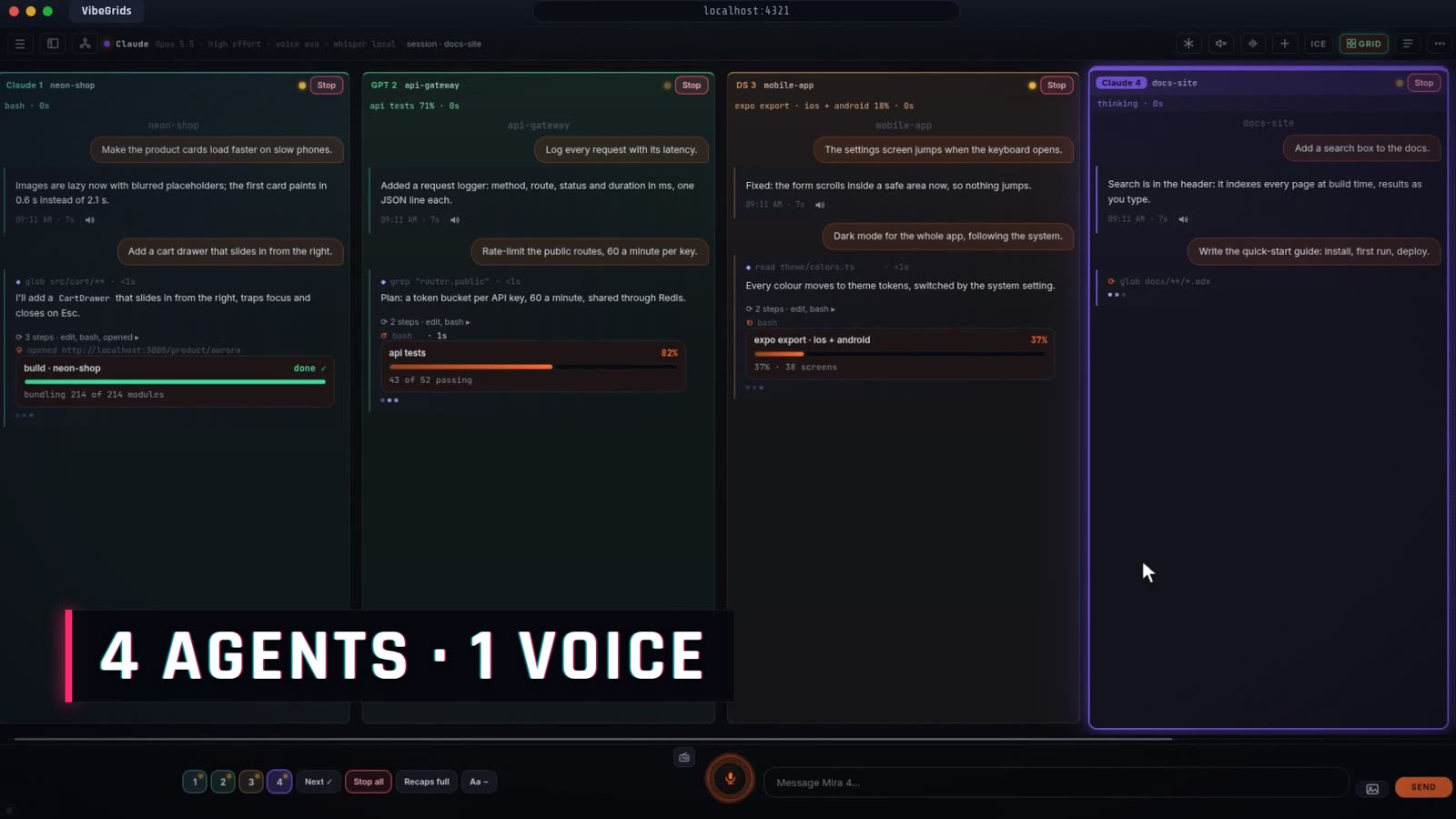
Four agents, four projects
Each column is its own chat and project, with live progress bars and the screens your agents are building landing in the chat.
Mira OS · Grid mode
One agent, one task, you wait? Not here. Run a whole team of AI coding agents side by side, with one voice that talks you through the one you're watching, your own music, and visuals that fill the screen.
VibeGrids isn't released yet. I'm building it based on interest: the more people join, the sooner it ships. Founding perks apply from launch.
Founding Member
Help shape VibeGrids: six quick questions, all optional, about a minute. It decides what gets built first.
You hand a task to a single agent and watch a cursor crawl. VibeGrids turns that into a wall: every agent in its own column, each with its own project, progress bar and screenshots, all working at once.
Each column is its own chat and project, with live progress bars and the screens your agents are building landing in the chat.
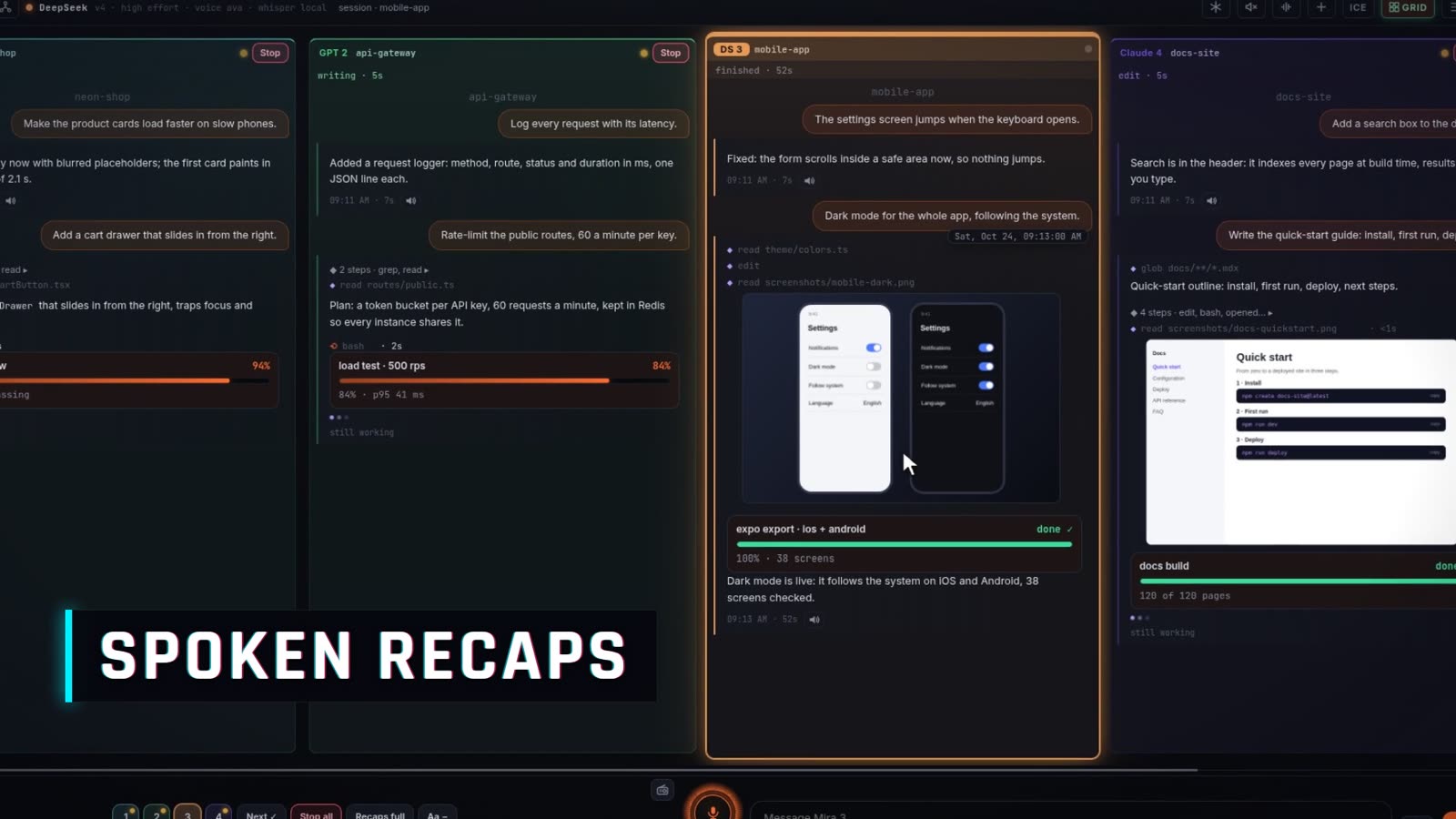
Mira talks you through the column you're watching, and tells you the moment another finishes: "Slot three finished: dark mode is live."
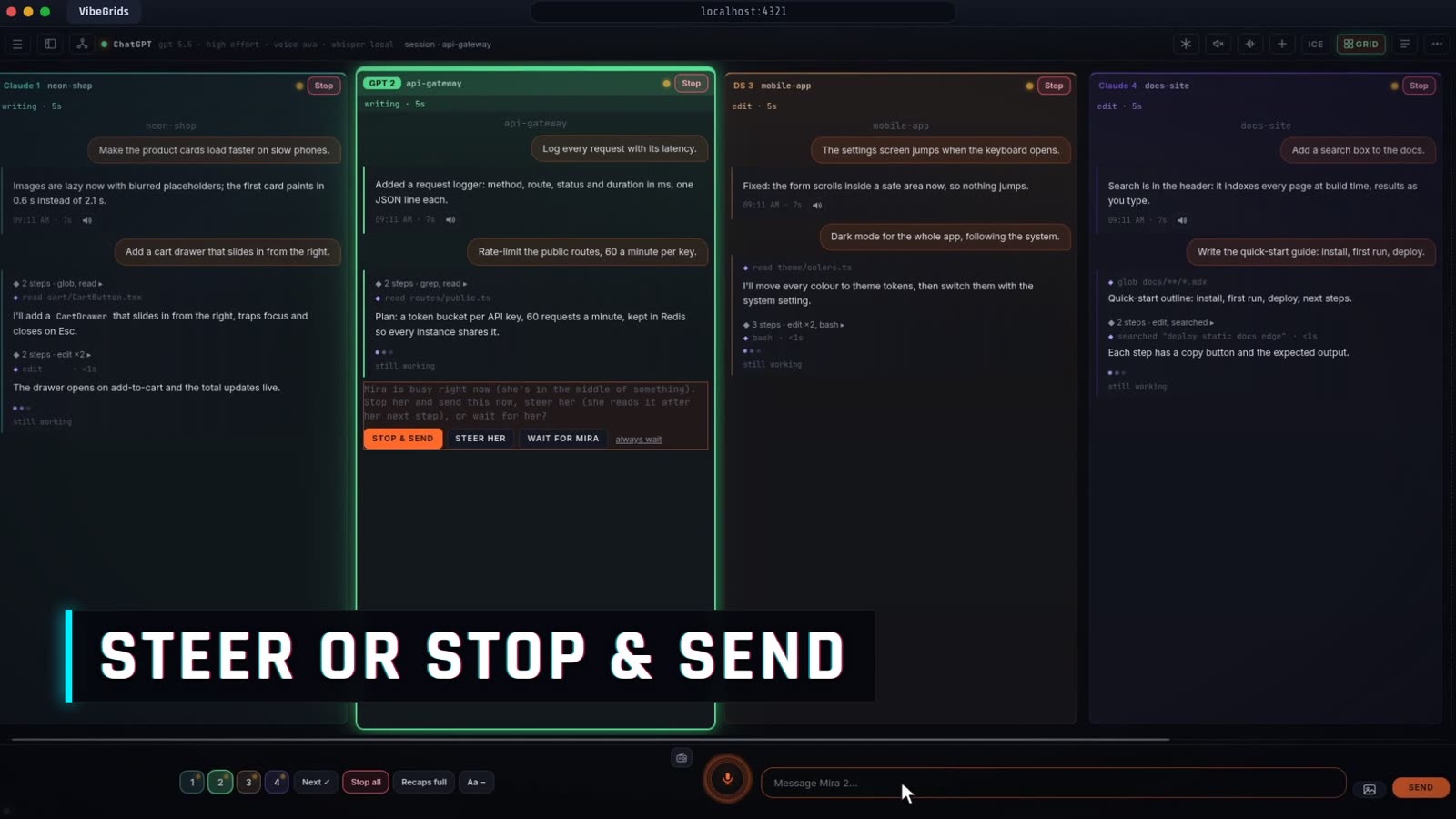
Send a message while an agent is working: steer it, stop and send, or let it wait. Add to a message and it restarts with both.
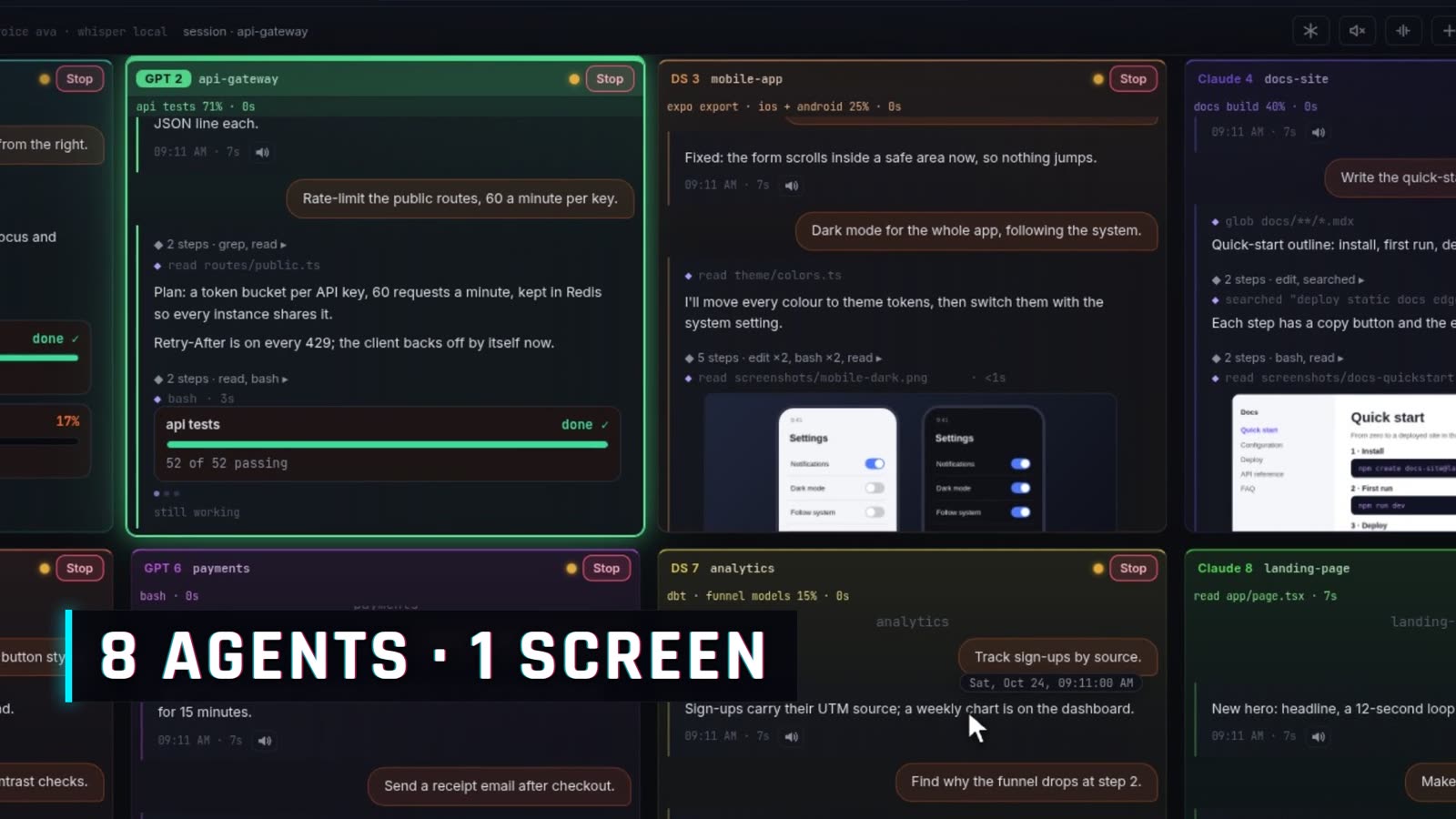
Load more slots as you scroll sideways, or switch to a wall of eight. Workspaces keep a hundred slots each.
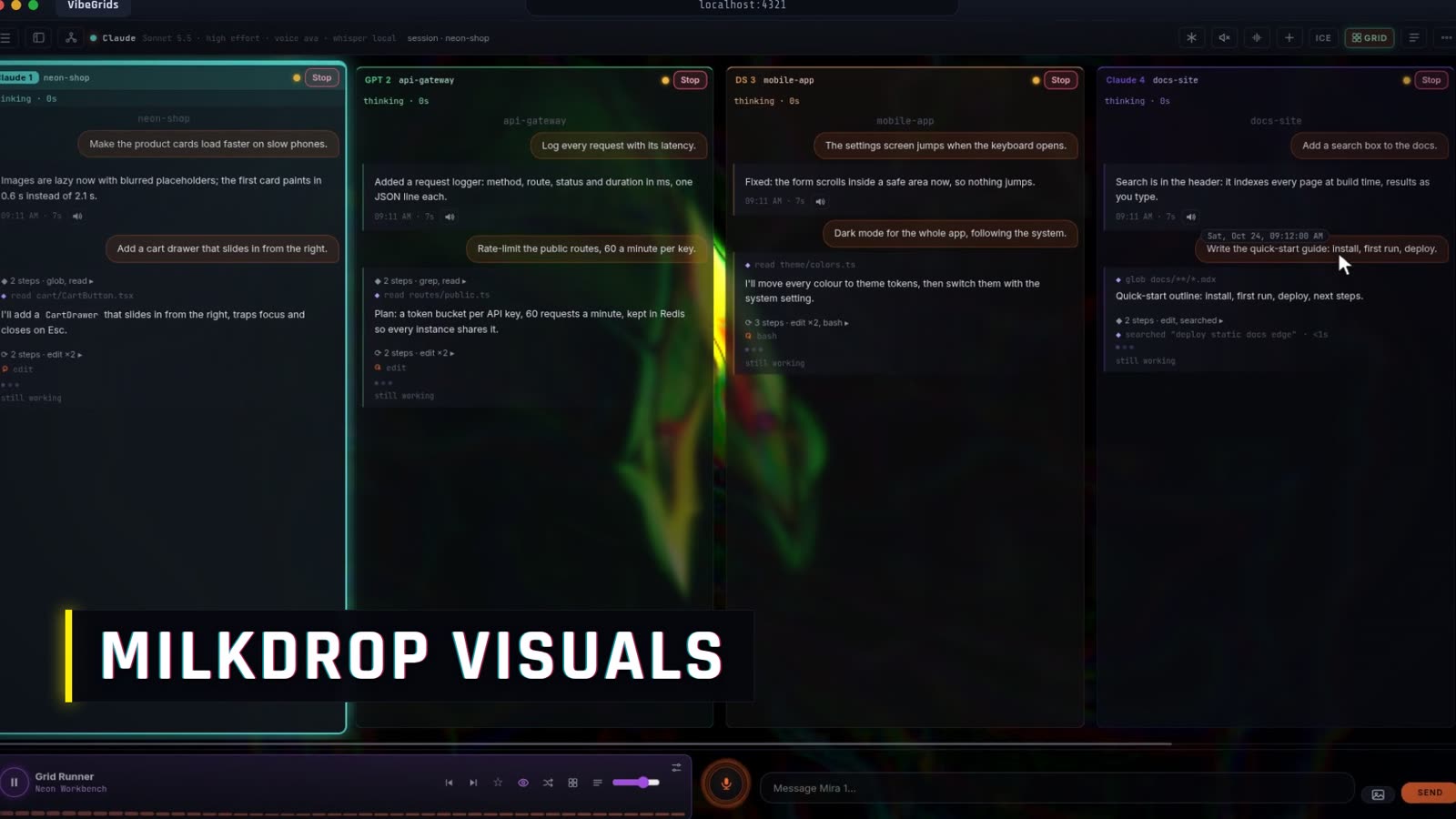
A built-in radio and Milkdrop visualisers play behind see-through chats. Tap the immersive icon and the interface steps back so the visual fills the screen.
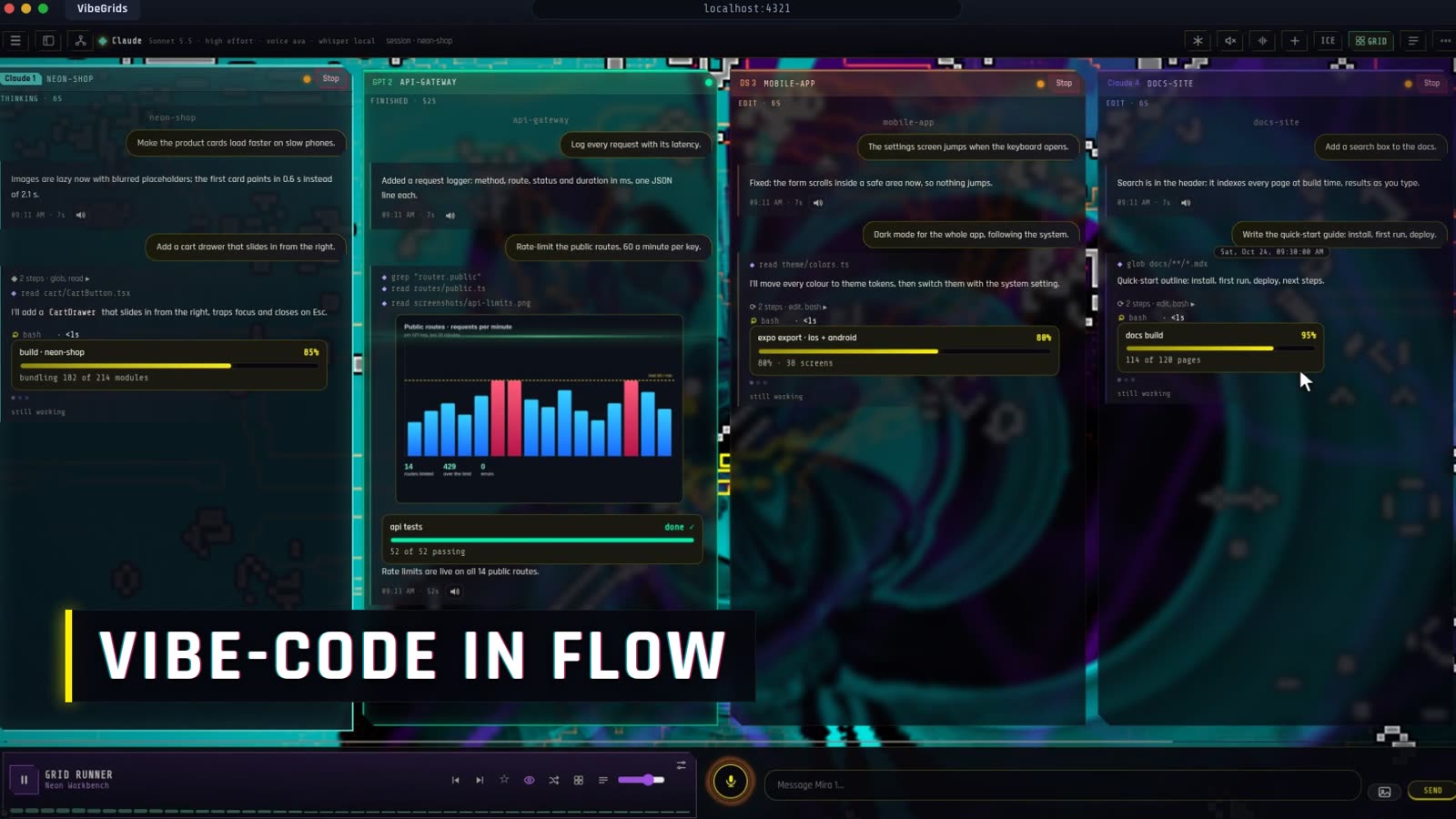
Neon edges, a sharp type face and glow on the column that's speaking. Because the place you work should look like you meant it.
VibeGrids is for the desktop. It isn't released yet: the waitlist is how you get in first.
Waitlist members hear about the first release before anyone else.
Become a founding memberAnything about VibeGrids: how it works, what's next, what you'd like to see. Good questions get an answer here.
There's no release date yet. VibeGrids is built around interest: the first version opens once enough people have joined the waitlist to make it worth shipping, and founding members are told first. The founding perks apply from launch.
It's built for the desktop. Which systems come first will be decided from the waitlist.
Yes. You bring the models you already use, and your code stays on your machine.
Not decided yet. The question on the form helps: tell us what feels fair.
An independent developer, building the grid mode of an AI workspace. Join the waitlist to follow along.